Your setup
Keep the assessment tied to the firearm and optic you are using.

RED DOT ZERO
Turn a shot group into a clear next step. See where your hits land, review the adjustment for your optic, and fire a second group to check the result.
Measure. Adjust. Confirm. All within PS² Range Coach.
Watch the 66-second walkthrough ↗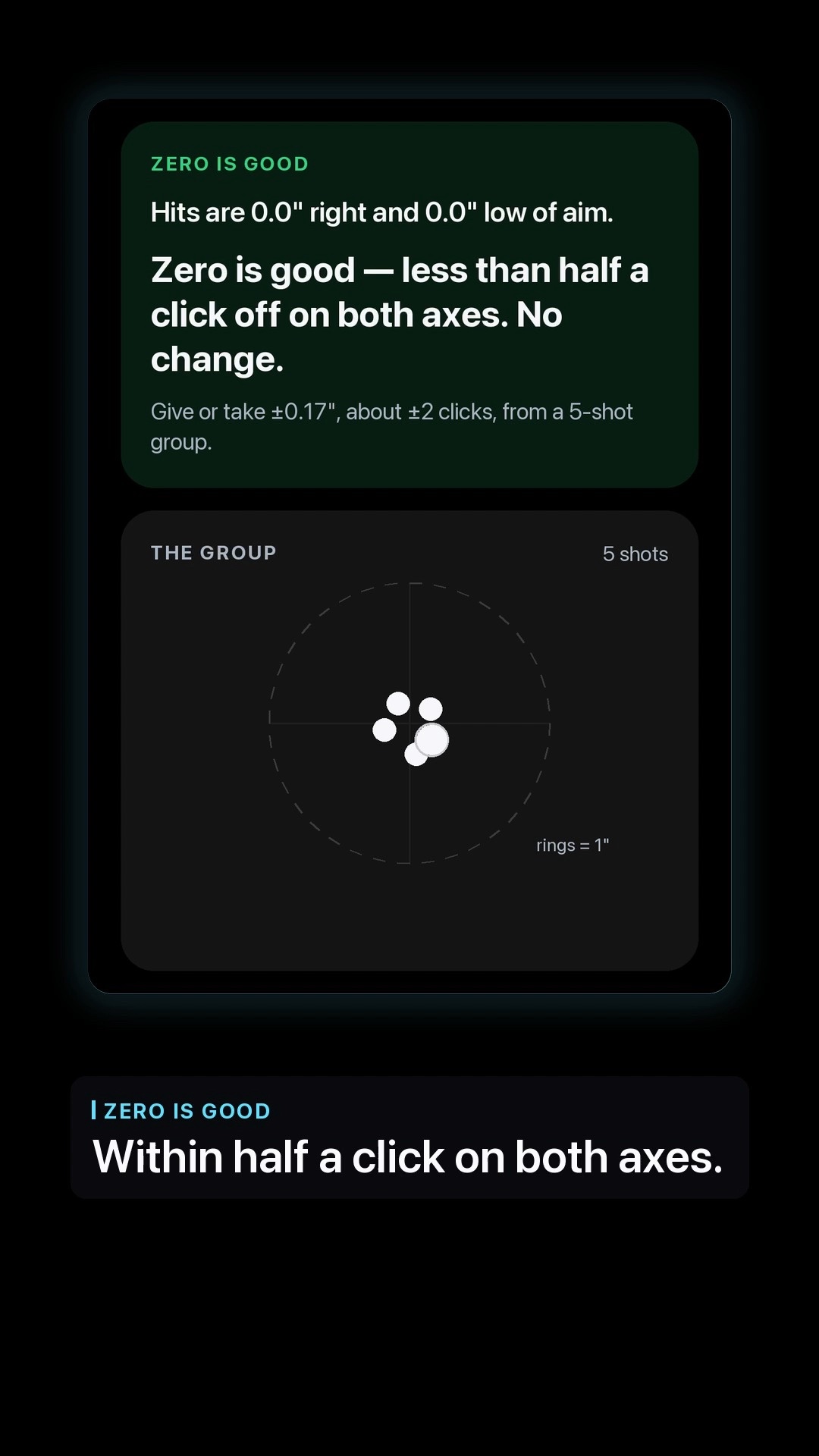
BEFORE YOU BEGIN
Select your firearm, optic, distance, target, and ammunition. The click value and distance give meaning to the adjustment shown for your group.
Keep the assessment tied to the firearm and optic you are using.
Register a supported target with the camera, or use the photo-scoring option shown in the app.
Use a rested, supported group so the result is useful for checking your zero.
A CLEAR PATH TO CONFIRMATION
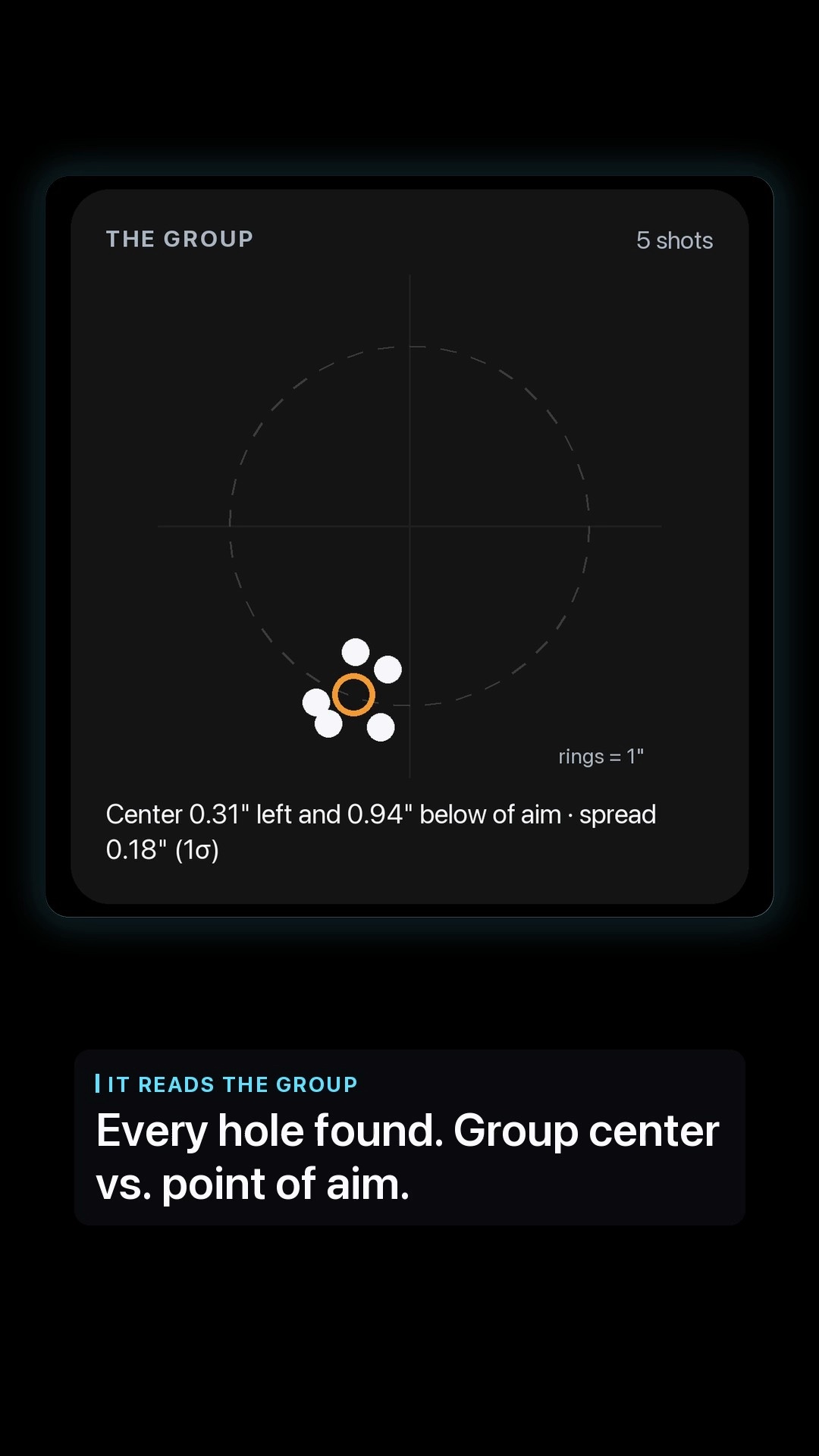
See the hits and the group center relative to your point of aim. Review horizontal and vertical offset together, rather than judging one hole.
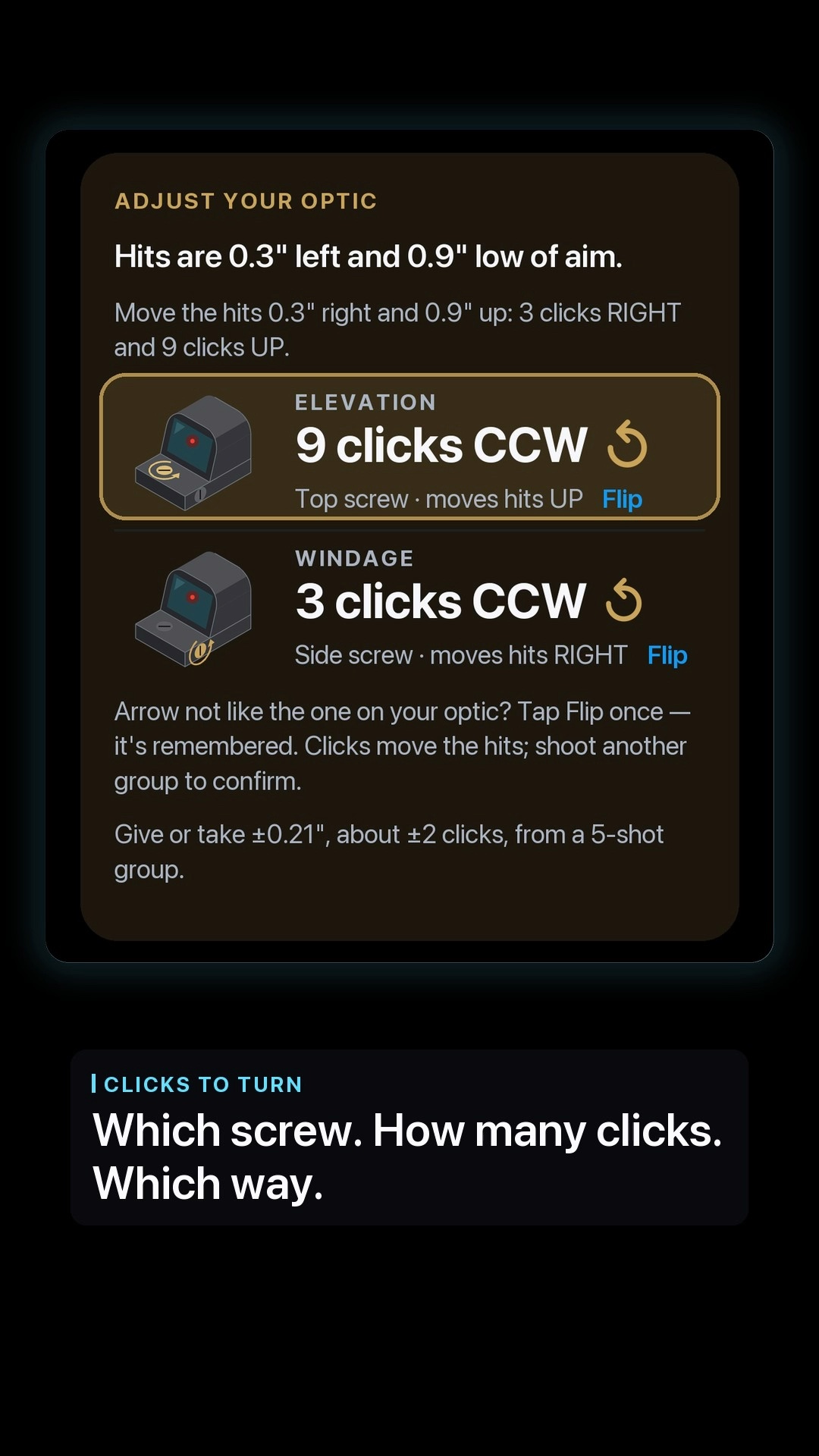
See elevation and windage separately: which screw, how many clicks, and which turn direction. The app also shows an uncertainty estimate for the group.
Fire another group after the adjustment. Review the new offset and the green confirmation when the result meets the app’s zero check.
OPTIC-SPECIFIC GUIDANCE
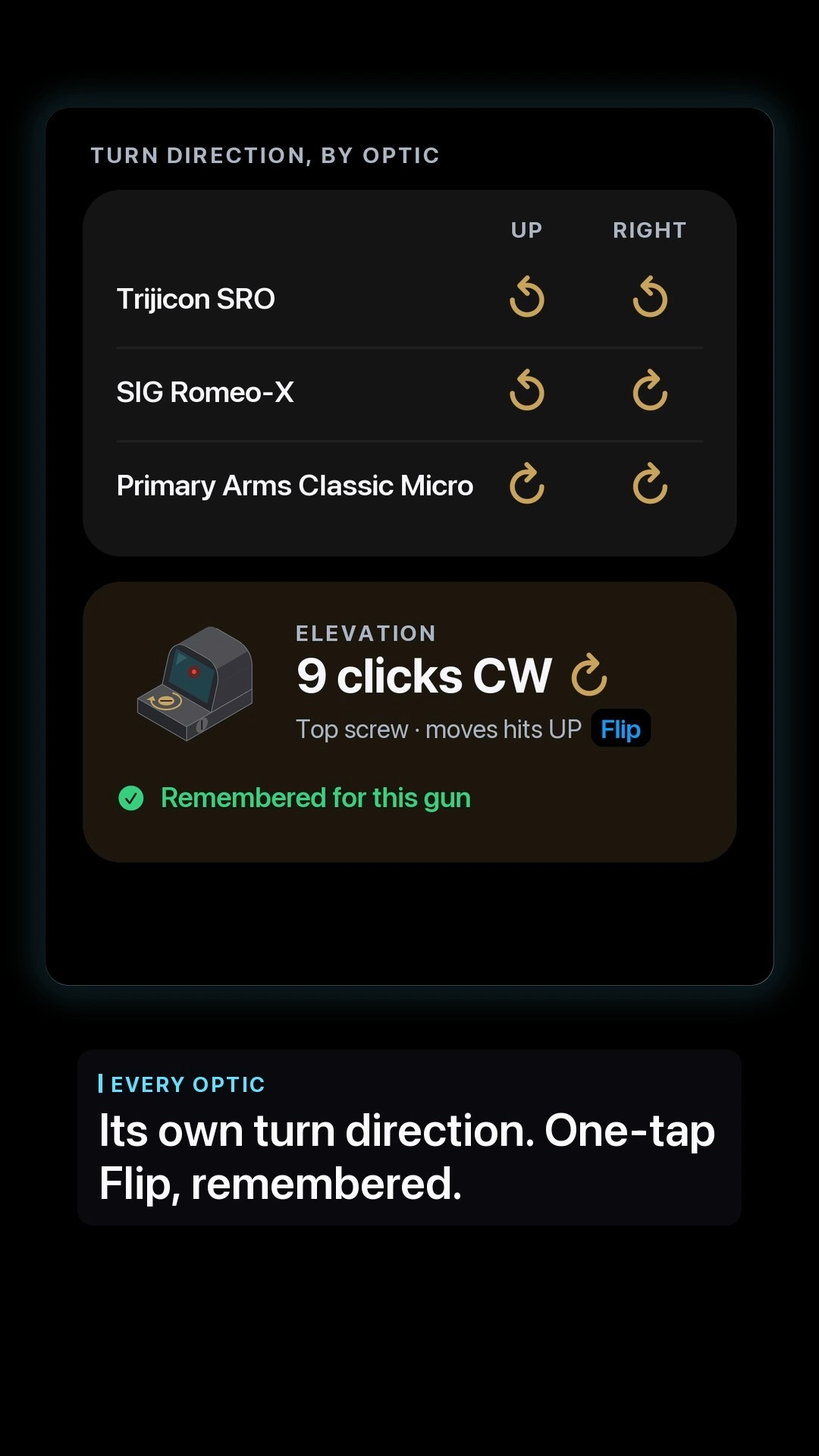
Elevation and windage are shown with separate optic illustrations and turn-direction arrows.
If an arrow does not match your optic, the app’s Flip control lets you change that direction and remember it for that firearm. Check the markings on your optic before applying the adjustment.
The click counts in these screens belong to the recorded example. Your result depends on your own setup and shot group.
FROM SETUP TO TRAINING
Return to your live-fire session with a checked setup and a clear record of what the group showed.
Request Beta Access Explore Live Fire ↗